本文介绍了两种在WordPress网站侧边添加可折叠随机播放小姐姐舞蹈视频组件的方法,该组件内置视频接口,能有效提升网站趣味性和用户停留时间,只需在后台自定义HTML中添加代码即可完成部署。
在网站侧边添加一个小姐姐随机跳舞的可折叠组件,这个组件的特点是,当用户点击时,会随机播放小姐姐的舞蹈视频。这样的设计不仅可以增加网站的趣味性,也可以吸引更多的用户停留和浏览。我目前使用的是WordPress系统来搭建我的网站,这个组件能够完美地适配WordPress系统。
方案一:
先看效果:
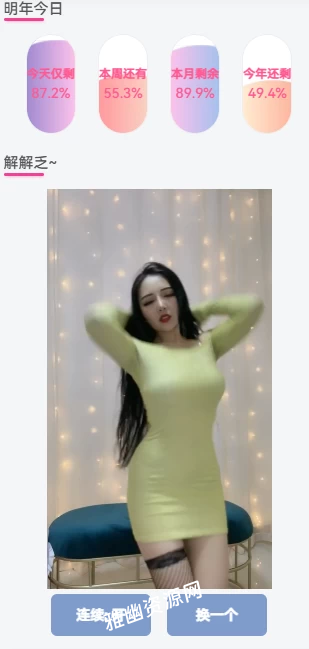
操作步骤:
以WordPress为例子,我们进入网站后台找到外观–小工具–自定义HTML,添加以下代码,如果不是WordPress,自己在想要的位置找到对应文件添加。
[hidecontent type="reply"]
<div>
<section id="main">
<video id="player" src="https://dwz.mk/MVZVjy" controls="controls" width="100%" height="400px"></video>
</section>
</div>
<div style="text-align: center;">
<section id="buttons">
<button id="switch">连续: 开</button>
<button id="next1">换一个</button>
</section>
</div>

<script>
(function (window, document) {
if (top != self) {
window.top.location.replace(self.location.href);
}
var get = function (id) {
return document.getElementById(id);
}
var bind = function (element, event, callback) {
return element.addEventListener(event, callback);
}
var auto = true;
var player = get('player');
var randomm = function () {
player.src = 'http://v.nrzj.vip/video.php?_t=' + Math.random();
player.play();
}
bind(get('next1'), 'click', randomm);
bind(player, 'error', function () {
randomm();
});
bind(get('switch'), 'click', function () {
auto = !auto;
this.innerText = '连续: ' + (auto ? '开' : '关');
});
bind(player, 'ended', function () {
if (auto) randomm();
});
})(window, document);</script>
<script>var _hmt = _hmt || [];(function() {var hm = document.createElement("script");hm.src = "";var s = document.getElementsByTagName("script")[0]; s.parentNode.insertBefore(hm, s);})();</script>
<style>
#switch,#next1{
background: #7F9CCC;
color:#fff;
line-height:40px;
text-align:center;
width:100px;
border:none;
margin:0 6px;
border-radius:6px;
font-weight:bold;
}
</style>
[/hidecontent] 方案二:
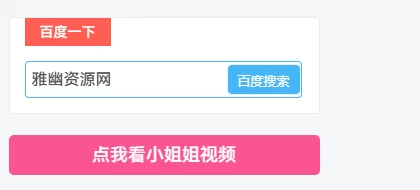
展开前:
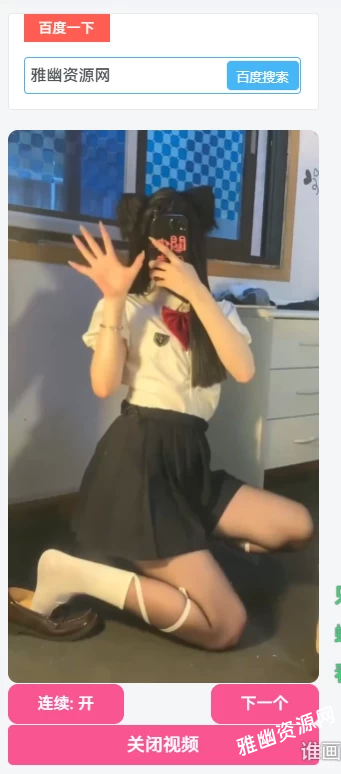
展开后:
代码部署:
同上,我们进入网站后台找到外观–小工具–自定义HTML,添加以下代码,如果不是WordPress,自己在想要的位置找到对应文件添加。
[hidecontent type="payshow"]
<section id="xiaojiejie">
    <div class="xiaojiejie"><style>#player { margin: 1px auto; max-width: 100%; border-radius: 10px; display: block; } #xjjsp { display: none; } #ckxjj,#gbxjj { width: 100%; height: 40px; border: none; background-color: #f95491; color: #fff; margin-top: 1px; border-radius: 5px; font-size: 18px; cursor: pointer; transition: 0.2s; } #ckxjj:hover,#gbxjj:hover { background-color: #eeb4bf; } .kzsp { width: 100%; display: flex; justify-content: space-between; } .kzsp>button { border: none; height: 40px; padding: 0 30px; font-size: 16px; background-color: #f95491; border-radius: 10px; color: #fff; transition: 0.3s; cursor: pointer; } .kzsp>button:active { background-color: #e25a00; }</style>
        <button type="button" id="ckxjj">点我看小姐姐视频</button>
        <div id="xjjsp">
            <video id="player" src="https://sp.4n2.cn/?api=jkllt" controls="" alt="小姐姐视频"></video>
            <div class="kzsp">
                <button id="switch">连续: 开</button>
                <button id="next">下一个</button>
            </div>
            <button type="button" id="gbxjj">关闭视频</button>
        </div>
        <script>
            var player = document.getElementById('player');
            var bind = function (element, event, callback) {
                return element.addEventListener(event, callback);
            };
            var sp = 0;
            $(document).ready(function () {
                $('#ckxjj').click(() => {
                    $('#ckxjj').hide();
                    $('#xjjsp').show();
                    if (sp == 0) {
                        randomm();
                        sp = null
                    }
                    player.onerror = () => {
                        randomm()
                    }
                    player.play();
                });
                $('#gbxjj').click(() => {
                    $('#ckxjj').show();
                    $('#xjjsp').hide();
                    player.pause();
                })
            });


            var get = function (id) {
                return document.getElementById(id);
            };

            var auto = true;
            // 生成播放视频
            function randomm() {
                player.src = 'https://sp.4n2.cn/?api=jkllt';
                player.play();
            };
            bind(get('next'), 'click', randomm);

            bind(get('switch'), 'click', function () {
                auto = !auto;
                this.innerText = '连续:' + (auto ? '开' : '关');
            });
            bind(player, 'ended', function () {
                if (auto) randomm();
            });
            player.pause();
        </script>
    </div>
</section>
[/hidecontent] 代码没啥问题如果失效自己找接口更换即可。